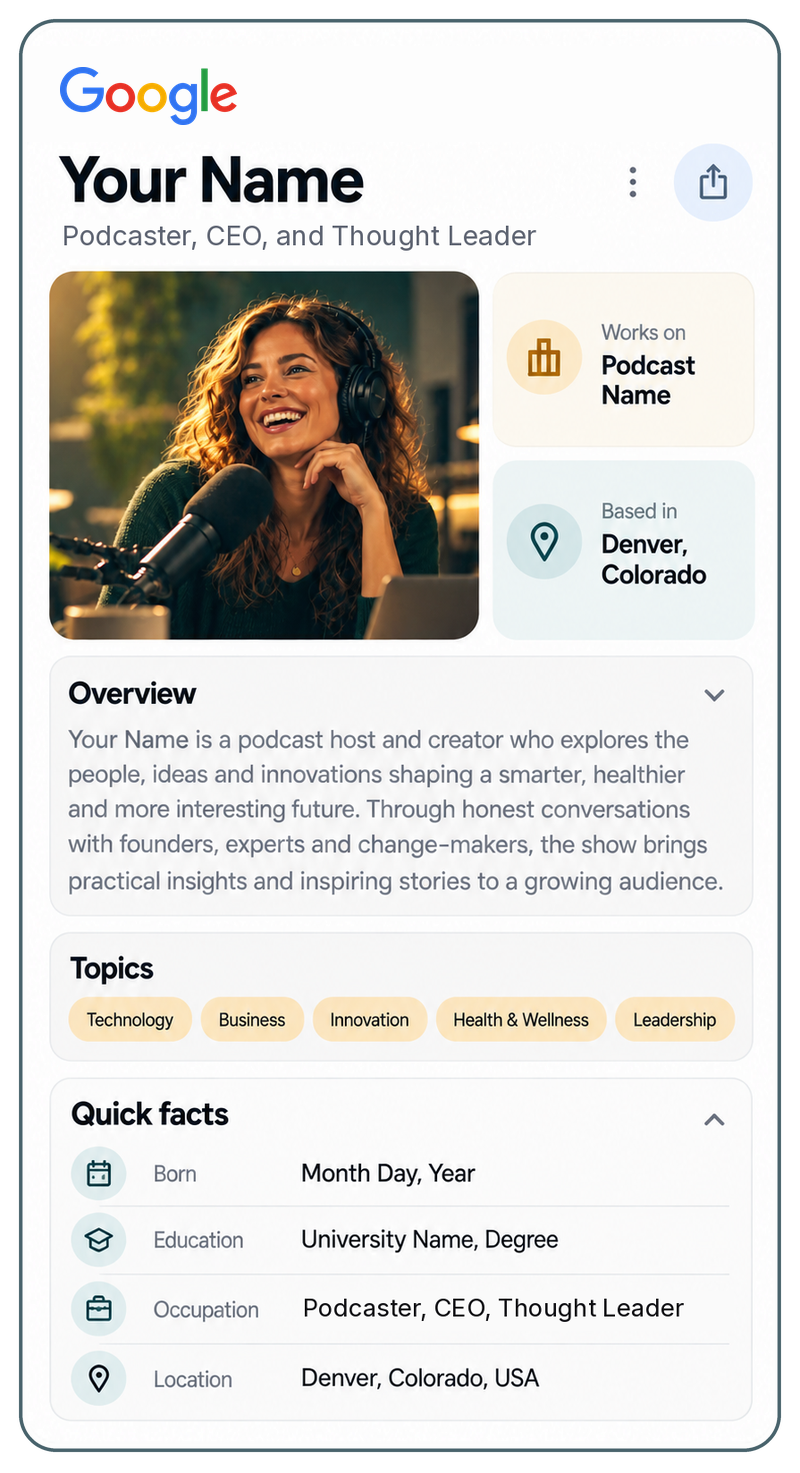
How to claim a Google knowledge panel, step by step
What the "Claim this knowledge panel" link actually does, which Google account to use, how verification works, what you can change afterwards, and how to report a duplicate or a wrong subtitle.
You searched your name, a panel is there, and you want in. The good news is that claiming one is a thirty minute job when the right account is signed in. The bad news is that most people try with the wrong account, cannot find the button, or get as far as verification and hit a wall. All three have plain fixes. Here is the whole process, including the parts Google's help page leaves out, and what to do when the panel is wrong or belongs to a namesake.

Five steps you can do yourself, and a sixth for when they stall. The account you use in step one decides whether step five works. Google's own instructions are at Get verified on Google; this is the same process with the gaps filled in.
Not any Google account. One Google can tie to an official property of yours: an address on the domain your panel lists as your website is the strongest, and the YouTube channel or X account the panel links to also count. A personal Gmail with no connection to those proves nothing, and is the single most common reason a claim stalls. The next section covers how to get an account on your own domain without paying for Google Workspace.
In Google Search, signed in as that account. The panel sits on the right on a desktop and at the top on a phone. If a search with your city or company added shows a panel and the plain name does not, the panel exists but is not triggering, which is a different problem and covered below.
At the bottom of the panel, sometimes inside the About section, and on a phone behind the menu. If it is missing entirely, Google has not yet made this panel claimable, or the entity it is attached to is not you. Both cases are covered below.
Google offers to verify you through the official sites and profiles it already associates with the panel: YouTube, Search Console, X or Facebook, as listed on its help page. You sign in to the one you control. If the account you used in step one is the one those properties belong to, this is a formality. If Google cannot find any property tied to you it asks for more information, and that review takes longer and fails more often.
Once verified, searching your name while signed in shows a Suggest edits control on the panel. That is the whole claim. It does not change what the panel says; it gives you the right to suggest changes to the parts Google allows, which the section after next covers.
Every stall on this page is a missing piece: no email on your domain, no Search Console property, profiles the panel links that are not yours, a record Google cannot check you against. The Foundation builds all of it in seven days, on your own domain, and we claim the panel with you on the call once Google allows it. After that Evolve checks the panel every month for duplicates, wrong fields and triggering, so you are not the one watching it. Get started, or schedule a call and we will look at the panel together first.
The claim is not the finish line. It is the moment you can start correcting what Google already believes.
Google verifies a claim by tying a signed in account to an official property. This is why the domain email matters more than anything else on this page.
If your panel lists yourname.com as your website, then a Google account at [email protected], with Search Console verified on that domain, is the cleanest proof you exist and the panel is yours. It worked first time for our founder's own panel. The same claim attempted from a Gmail address has nothing to connect it to the website, so Google either asks for more information or declines.
You do not need to pay for Google Workspace to have that account. If your domain has no email at all, a free forwarding rule on your domain (Cloudflare Email Routing does this at no cost) sends [email protected] to the inbox you already use. Then create the Google account with "Use my current email address instead" and give it that address; the verification code arrives through the forward. Set a strong password and two factor authentication, and use your real inbox as the recovery address.
Two cautions. At the "use my current email address" step Google nudges you toward making a new Gmail address instead, which throws away the domain match; do not take it. And whoever holds the recovery inbox effectively holds the panel, so create the account yourself rather than handing a login to a helper. Give a helper Search Console access on the domain instead, as an owner, which is all they need.
All of this is part of the Foundation. We set up the forwarding address, walk you through creating the account on your domain, verify Search Console with you, and add ourselves as an owner so the work gets done without anyone but you holding the login.
The two walls people hit, and what each one actually means.
You are signed into an address Google cannot connect to the website or profiles the panel lists. Sign out, sign in with the domain account, and try again.
Google could not find a site or profile tied to you. Add your domain to Search Console as a Domain property, verified by DNS, then retry. This is the second signal Google weighs, and the one you can control today.
The panel links a YouTube channel or an X account that is not yours, or is a stale one. Get the real profiles agreeing with your record first; the links in the panel come from the same sources.
That review is slow and has no status page. Give it the record, the Search Console property and the profiles, then wait, and keep working on the sources in the meantime.
Notice that none of these is a Google problem. Each is a missing piece on your side: a record, a property, a profile that agrees. That is the whole argument for having the Foundation built before you try the claim again, and why a claim that stalled twice usually goes through once the record is live.
Being verified does not let you rewrite the panel. It lets you suggest changes to specific fields, and it gets your feedback looked at first.
Suggest edits covers a short list. The featured image (use the same headshot you use everywhere, because the panel is where consistency pays off), the subtitle, the website, and the social links. Small, sourced suggestions, with your own record as the page they can be checked against, are the ones that get accepted. There is no status dashboard: the signals are the panel changing within a few weeks, or an occasional email asking for more evidence.
Everything else goes through feedback, from the right place. For a wrong fact, a duplicate, or a panel that mixes you with a namesake, use the small feedback link directly under the panel's overview box, not the "Send feedback" at the foot of the page, which goes to general Search feedback with no entity attached. Stay signed in as the verified account, because Google says that feedback is prioritized. For a duplicate, describe it as a missing merge and cite your record and your Wikidata entry; for a wrong field, flag that field as outdated with the source that corrects it.
Then check monthly. Search your name in a private window, and open both entity IDs if there are two, in the All tab (the Web tab strips panels by design). If the ID still resolves, the entity exists and the problem is triggering; if it stops resolving, it was merged or dropped. The panel is back when the plain name search shows it with nothing added.
Read more: Removing personal information from a knowledge panel
Every wall on this page comes from the same cause: Google cannot connect the person signing in to the person in the panel, because the sources do not agree or the properties are not there. The Foundation builds exactly those things, on your own domain, in seven days, so the claim is a formality rather than a fight. The course walks you through this page's steps with screenshots, and the monthly plan checks the panel for you once you have it.

The record
Your domain, stated as the website in the panel, with Search Console connected and the hidden layer describing one person. It is both what the panel is built from and what the claim is checked against.
The profiles
The YouTube channel, X account and the rest brought into one name form and pointed at your record, so the properties Google offers for verification are yours and current.
The course
Included with every plan, module 0 free. The claim, the account, suggest edits and feedback, with the screenshots this page cannot carry, and a readiness scorecard that tells you plainly where you stand.
Read more: How to get a Google knowledge panel, the honest version
The first step does most of the work, and for a panel you already have it is a conversation about what Google built it from and what is contradicting it, not a form.
One conversation about you: who you are, what you have done, and what you want this to do, whether that is getting into the panel you already have, correcting it, or making it show on your name. Then we search the web for everything already written about you, including the panel itself, the sources it was built from, the profiles it links, and whatever is contradicting it.
Everything we found becomes a fact set you approve line by line, and nothing unconfirmed goes live. If the claim is blocked by the account or the website, that is fixed here, before anything else. From it we decide what your record needs to say, then build your site on your own domain, written so Google and the AI assistants can read it, with your media kit alongside.
Your site goes live and a press release announces it. We connect Search Console, file Wikidata where you qualify, and connect the properties Google accepts for verification, and capture how Google and the AI assistants describe you on day one, at launch and again at day 90, so you can watch them catch up.
All of it live by day seven. Yours, not rented from a platform.
Tell us when something happens. A new role, a new headshot, a profile you retire, a namesake who appears. It goes into your record, your site updates, and the web gets one more thing that agrees with everything else.
The site is what people see.
The record is what Google & the web read.
You need both.
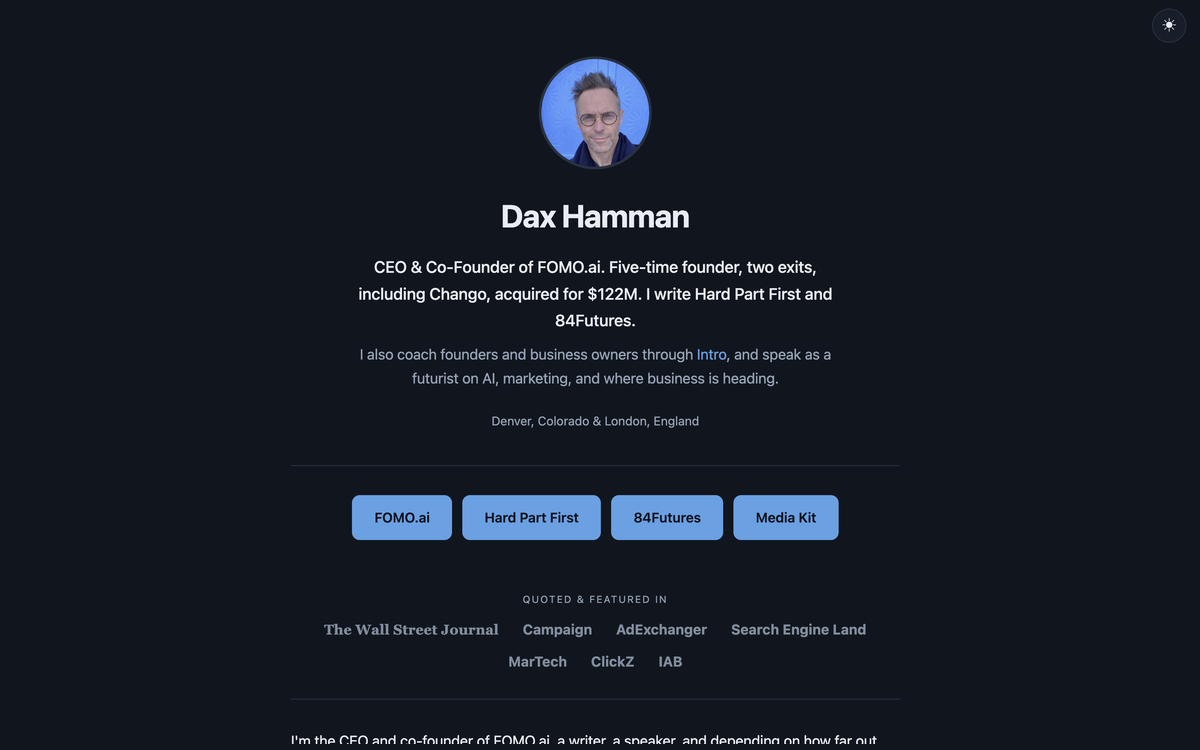
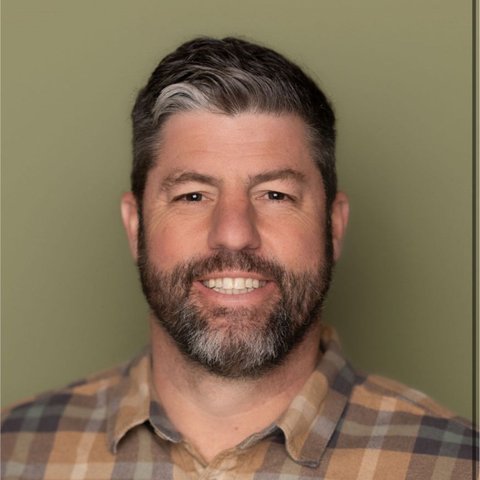
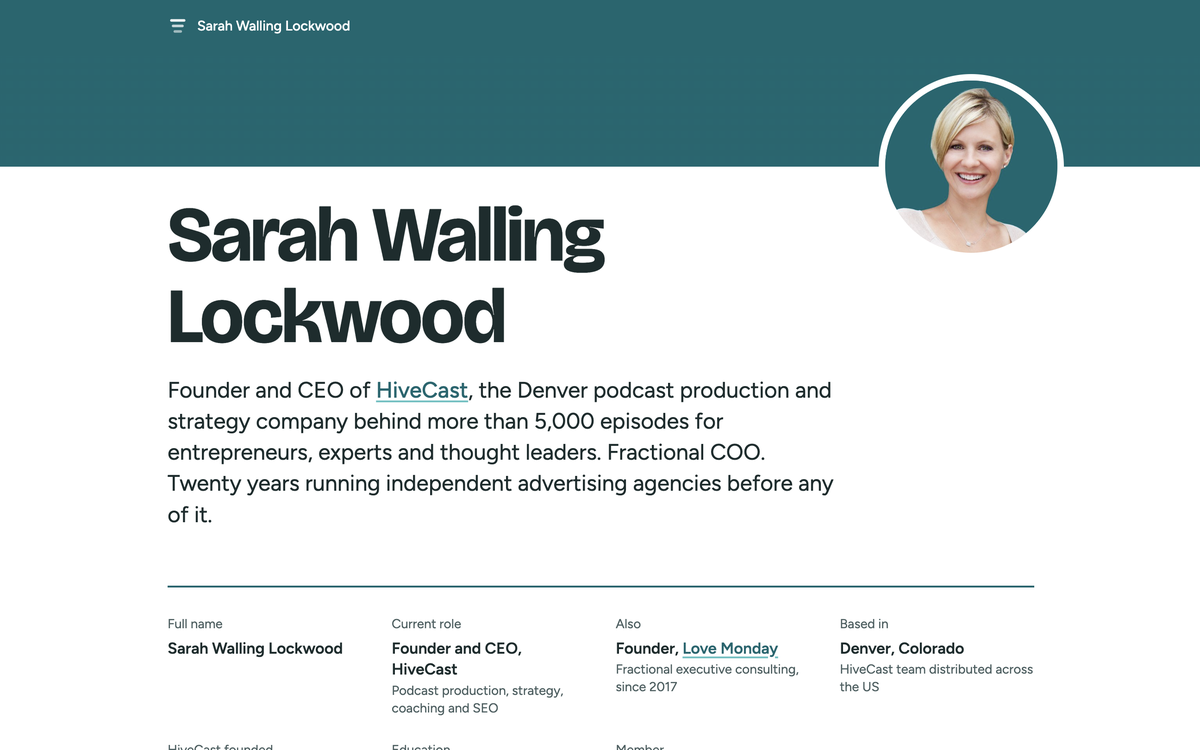
Three records built this way. Each is the page its owner's panel can be verified against. Yours can look however you want; the hidden layer underneath is the same on every one.


Seen onShark Tank


One Foundation to build the record, then Evolve to keep it current, or Amplify to add a press release every quarter. Leave any time and take your files.
Build the record.
Every item in the checklist above, live on your own domain by day seven: your record, your site and media kit, your profiles brought into agreement, a press release, Search Console and Wikidata where you qualify, with the course for the day a panel appears.
We keep it current and check the panel every month.
$149 a month, or $1,490 a year. Leave any time and take your complete site files.
Everything in Evolve, plus a press release every quarter.
$295 a month, or $2,950 a year. Leave any time and take your complete site files.
Learn exactly what Google and Wikipedia look for, and whether you meet it: how Google decides who you are, what counts as independent evidence, Wikidata, claiming a knowledge panel, Wikipedia's criteria and the proper routes, and a readiness scorecard that tells you plainly where you stand. Module 0 is free. We teach the criteria. Google decides the panel.
See every plan, including Authority, from $750 a month by application. A knowledge panel is a result Google decides, so we build what it is made from and never promise it.
IncludedNot included
| Foundation$2,500 once | Evolve$149 a month, starts at site launch | Amplify$295 a month | AuthorityFrom $750 a month, by application | |
|---|---|---|---|---|
| Site, record, hidden layer and media kit | Built | Kept live and true as you change | Kept live and true as you change | Kept live and true as you change |
| Hosting, SSL and uptime | At launch | Included | Included | Included |
| Email routing on your domain kept working | Not included | Included | Included | Included |
| Structured data and health check each quarter | Not included | Included | Included | Included |
| New appearances, writing, roles and projects added | Not included | Up to four updates a month | Up to four updates a month | Included |
| Search Console | Set up, indexing requested | Monthly report | Monthly report | Monthly report |
| AI answer check | Day one, launch and day 90 | Quarterly review | Quarterly review | Quarterly review |
| Knowledge panel | Everything Google reads to build one | Monthly check | Monthly check | Monthly check |
| Wikidata | Created if you qualify | Kept in agreement with your record | Kept in agreement with your record | Kept in agreement with your record |
| Press releases, written to be found in Google and AI | One | Not included | One a quarter | More frequent |
| Podcast guest opportunities | Not included | Not included | Not included | Included |
| Interviews and PR | Not included | Not included | Not included | Included |
| Guest article opportunities | Not included | Not included | Not included | Included |
| Claim your Google Knowledge Panel course | Included | Included | Included | Included |
| Kickoff and positioning call, plus the readiness check | Included | Not included | Not included | Not included |
A panel you have not claimed shows whatever Google assembled: an old headshot, a title two jobs ago, a link to a profile you abandoned. The person checking you reads it as current. MeMyself builds the record the panel is checked against, teaches the claim, and keeps an eye on the panel every month once you have it.
Google had split Dax (a Founder & CEO) into two people. His record was out of date and his best work was invisible. Investors and hosts looked him up, saw the wrong thing, and moved on.
One record of who he is and what he has done, on his own domain, updated with every new interview. Google merged the two profiles and he claimed his knowledge panel in September 2026. AI assistants now describe him accurately and cite dax.fyi as the source.
More podcast bookings. More consultancy relationships. The right investors taking the meeting. Linking the record to his company site (FOMO.ai) and newsletters lifted those in search too. Online, he now looks like the person he actually is.

No WordPress, no plugins, no database. Your page is pure: your words and the hidden layer the assistants read, served from Cloudflare's global network, with nothing inside it that can be hacked, auto updated or quietly changed.
At the bottom of the panel on a desktop, sometimes inside the About section, and behind the menu on a phone, while you are signed in to Google. If it is missing, Google has not made that panel claimable yet, the panel belongs to a namesake, or there is no panel at all. Google says not every panel is claimable and to check back.
No. There is no knowledge panel account, dashboard or sign up page, and anything offering one is not Google. The claim lives on the search results page, and the nearest thing to a dashboard is Search Console for your own domain, which is also one of the ways Google verifies a claim.
One Google can tie to an official property of yours: an address on the domain the panel lists as your website is the strongest, and the YouTube or X account the panel links to also count. A personal Gmail with no connection to those is the most common reason a claim stalls. You can create a Google account on your own domain for free with a forwarding address and the use my current email address option.
Almost always because Google cannot connect the signed in account to the person in the panel: the wrong account, no property it can verify you through, or profiles in the panel that are not yours or are stale. Add your domain to Search Console as a Domain property, make the linked profiles yours and current, sign in with the domain account, and try again.
Through Suggest edits, which appears on the panel when you search your name signed in as the verified account. It covers the featured image, the subtitle, the website and the social links. Small, sourced suggestions with your own record as the page they can be checked against are the ones that get accepted. There is no status page; the panel changing within a few weeks is the signal.
Use the feedback link directly under the panel's overview box, not the Send feedback at the foot of the page, and stay signed in as the verified account. Describe a duplicate as two entities that should be one, a wrong field as outdated, and cite your record and your Wikidata entry as the sources. Google lists a panel mixed with a same named person as a case to contact it about.
They can help, and that is what we do. The account should be yours, because whoever holds the recovery inbox holds the panel. Create it yourself and give a helper owner access in Search Console on your domain, which is all they need to do the work.
Nobody can promise that. Google decides when it is confident, and we build the record it reads, make every source agree, and teach you the claim process for the day it appears.
The long versions of the three problems on this page.
What the "Claim this knowledge panel" link actually does, which Google account to use, how verification works, what you can change afterwards, and how to report a duplicate or a wrong subtitle.
You have a panel, you have read the instructions, and there is no "Claim this knowledge panel" link under it. Here are the six reasons that happens, how to tell which one is yours, and the fix for each.
Thousands of people a month search for a knowledge panel login, sign up page or app. None exists. Here is what they are mixing up, what the only real control is, and what to do if you wanted to manage what Google shows about you.